Homelab Services I Use in 2026
Status: Still Working on Details!
After more than 5 years of building and tweaking my homelab, I’ve settled on a stack that just works. This isn’t a list of 50 fancy tools. It’s the services I actually use daily, the ones that have earned their place in my heart and my little server <3.
Here’s my homelab in 2026.
The Foundation
Before diving into the apps, let’s talk infrastructure. My setup runs on two modest Desktop PCs with 16GB RAM and a couple of storage devices. Everything runs in k3s, used to be docker with docker compose but I’ve decided to step up a notch.
This approach works for me because I like a lot of the pros of kubernetes on my homelab, but for most people, keep using Docker. One compose file, one command, and you’re running. No scaling worries, distributed storage, etc.
Media Stack
Navidrome
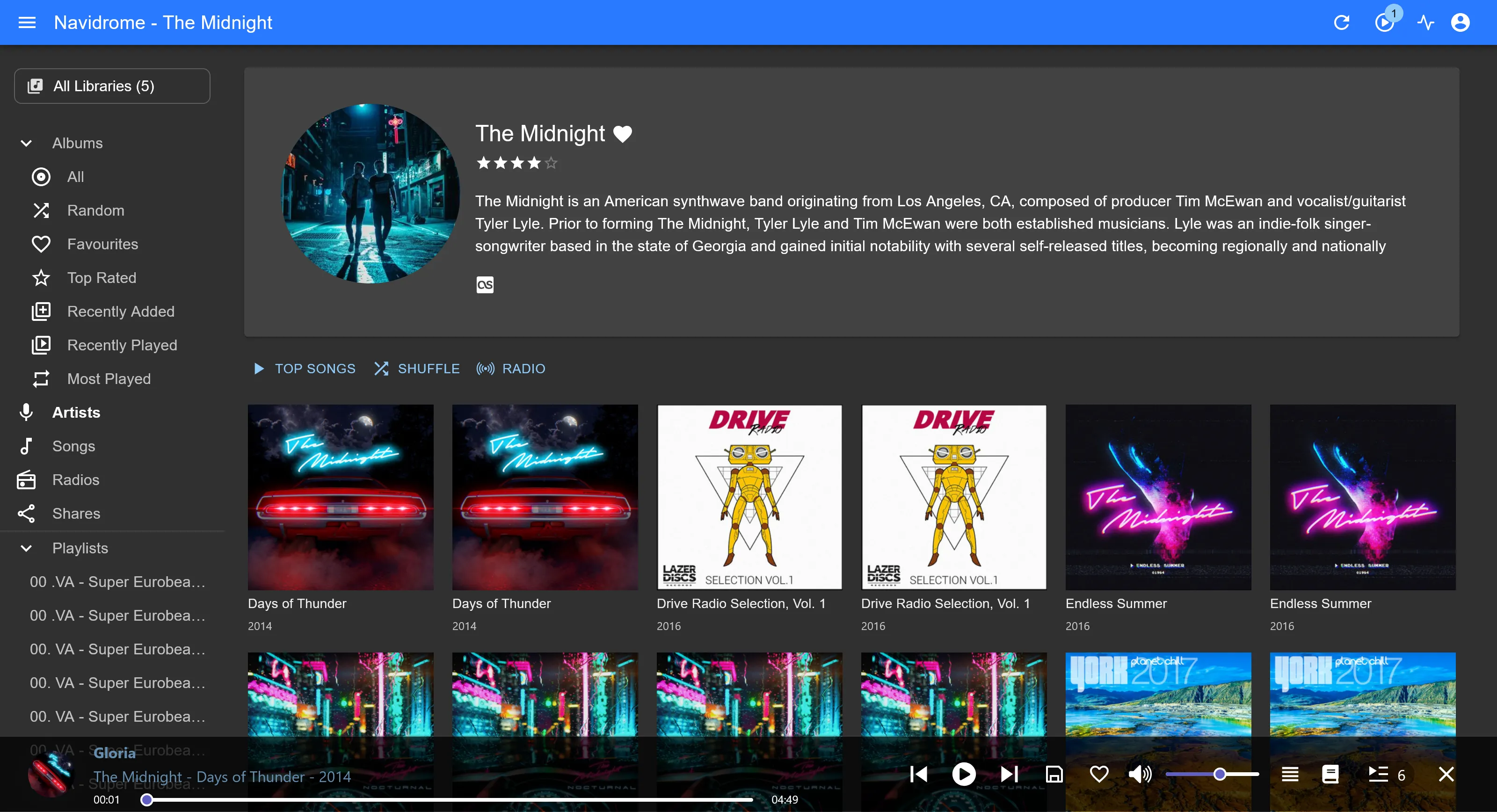
For music, Navidrome handles my personal audio library. It scans my entire FLAC and MP3 collections, and then I use the Symfonium mobile app that gives me Spotify-like access to my collection anywhere. Even offline access!
Productivity & Files
CopyParty
CopyParty replaced any web storage solution that I’ve ever wanted. It is “ugly”, it doesn’t have a mobile app, but the versatility this piece of software gives to you is literally priceless. You have anything you need, web interface, webdav, curl, stream, ftp, sftp, samba, anything! It’s really a life saver if you only are interested in keeping some files here and there

Syncthing
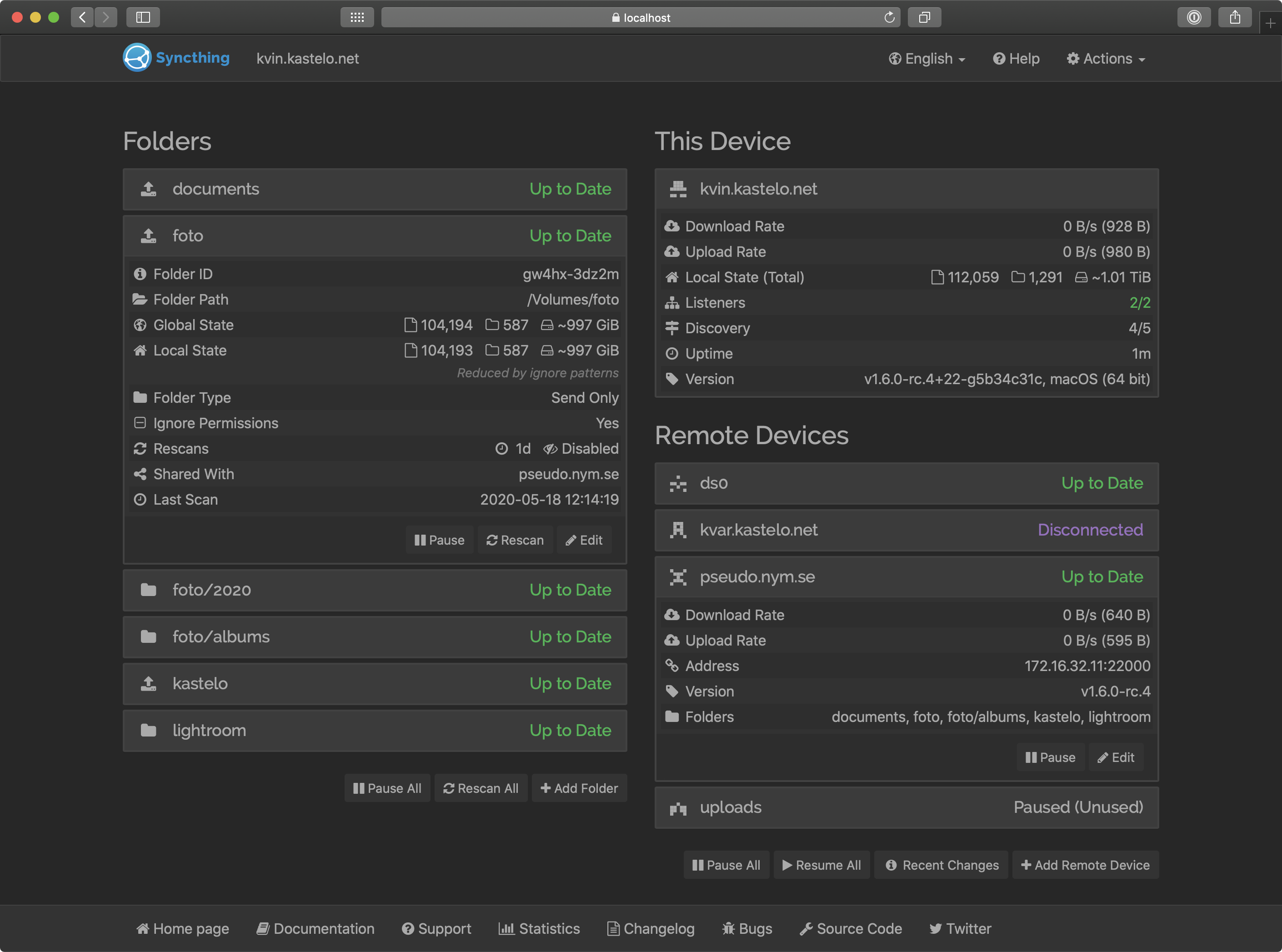
This tool feels surreal, once it is installed in your computer, BOOM, no more need to worry about your files because it is blazingly fast and it is capable to traverse nat restricted networks! So it has everything that a user needs to actually sync their files, and this is way even better if you use multiple devices because of it’s p2p nature, it makes wonders, even with PDF and Doc files! No need to worry if you have your 5gb download, if both computers were on, it downloaded on both!
Immich
For photos, Immich has become my Google Photos replacement. The auto-upload from phones works well, the search is surprisingly good thanks to machine learning, and the development pace is incredible. Every month brings meaningful improvements.
Remote Access
Tailscale
Tailscale handles my remote access needs. The mesh VPN creates a secure tunnel between my devices, and I can access any service in my homelab from anywhere. The data path is peer-to-peer, so it’s fast, and the setup takes minutes—not hours like old VPN solutions.
It runs on my phone, laptop, and the server. One Tailcale subnet router on the homelab network, and I’m in.
Monitoring
Uptime Kuma
Uptime Kuma monitors whether my services are alive. A clean dashboard, push notifications when something goes down, and I sleep better knowing I’ll be alerted if a service fails at 2 AM.
Essential for any homelab that matters to you.
Reverse Proxy
Nginx Proxy Manager
NPM handles incoming traffic and SSL termination. Point subdomains at services, auto-renew Let’s Encrypt certificates, and forget about manual SSL management. The interface is beginner-friendly, which makes it a great starting point.
What Didn’t Make the Cut
Some popular services I tried but dropped:
- Nextcloud & Owncloud: Replaced by CopyParty, I didn’t need the advanced features, and I really like syncthing so I don’t really have a purpose for a “complete suite”.
- Home Assistant: Powerful, I’ve loved it, but I don’t have enough smart devices to justify it
- GitLab: Incredible software, but overkill at 16GB RAM for personal repos. Gitea seems to be a good alternative though
The Lesson
A small stack you maintain well beats an impressive stack that falls apart because you forgot to update something. Start with what you’ll actually use daily. Add services one at a time. Learn by breaking things.
That’s how homelabs grow.
What services run in your stack? I’d love to hear what’s working for you.
Pending tools I want to try out!
- Pi-hole
- Adguard Home
- Gitea